CAD → CAE → CAM
Feature-based models, assemblies, tolerances, simulation, toolpaths, inspection, and manufactured parts.
Visual Construction · Engineering study
Grades 10–12 and postsecondarySelf-paced interactive STEAM course
Build geometric understanding by changing control points, parameters, continuity, topology, materials, and light—then explain how each decision changes the model.
Course connections
Curriculum connections include Common Core HSG-MG.A.1–3 for modeling with geometry and NGSS HS-ETS1 engineering-design practices involving criteria, constraints, modeling, testing, and refinement.
The course reconstructs graduate-level special-topic work completed in Georgia Tech’s mechanical engineering program under the direction of Dr. David W. Rosen, with additional faculty guidance from Dr. Farrokh Mistree. It is a free self-paced resource and does not award academic credit.
One mathematical language
The early mathematics is shared. Design intent and tolerances lead toward engineering, analysis, and manufacturing. Expressive form, materials, cameras, and light lead toward animation, games, and visual storytelling.
Feature-based models, assemblies, tolerances, simulation, toolpaths, inspection, and manufactured parts.
Organic forms, animation, procedural worlds, materials, physically based light, games, and immersive experience.
Course map
Each module is built from short explanations, mathematical forms, and a live studio. The sequence follows the original project’s logic and extends it through modern CAD and graphics practice.
Coordinates · vectors · parametric form · basis functions · transforms
Hermite · Bézier · de Casteljau · continuity · B-splines · NURBS
Tensor products · bicubic patches · control nets · seams · trimming
Tessellation · boundaries · manifold models · normals · Euler checks
Sweeps · Booleans · B-rep · features · CAD/CAE/CAM/CGI
Projection · normals · materials · lighting · ray tracing · PBR
The complete interactive course
Choose a lesson, adjust its variables, and watch the model respond. Progress is saved only in this browser. No account, plug-in, or installation is required.
Module 01 · Lesson 1 of 5
A point records a location. A coordinate system gives that location meaning.
P = [x, y, z]
Move t to locate a point between the two anchors.
Capstone path
Use the six modules to build a small controlled form, test whether its mesh is valid, express its design intent, and communicate it through light and material.
Place points and choose a coordinate frame.
Build a continuous profile with local control.
Extend the profile into a controlled patch.
Inspect boundaries, normals, and manifold topology.
Add features and select an engineering pipeline.
Use a camera, material, and light to explain the result.
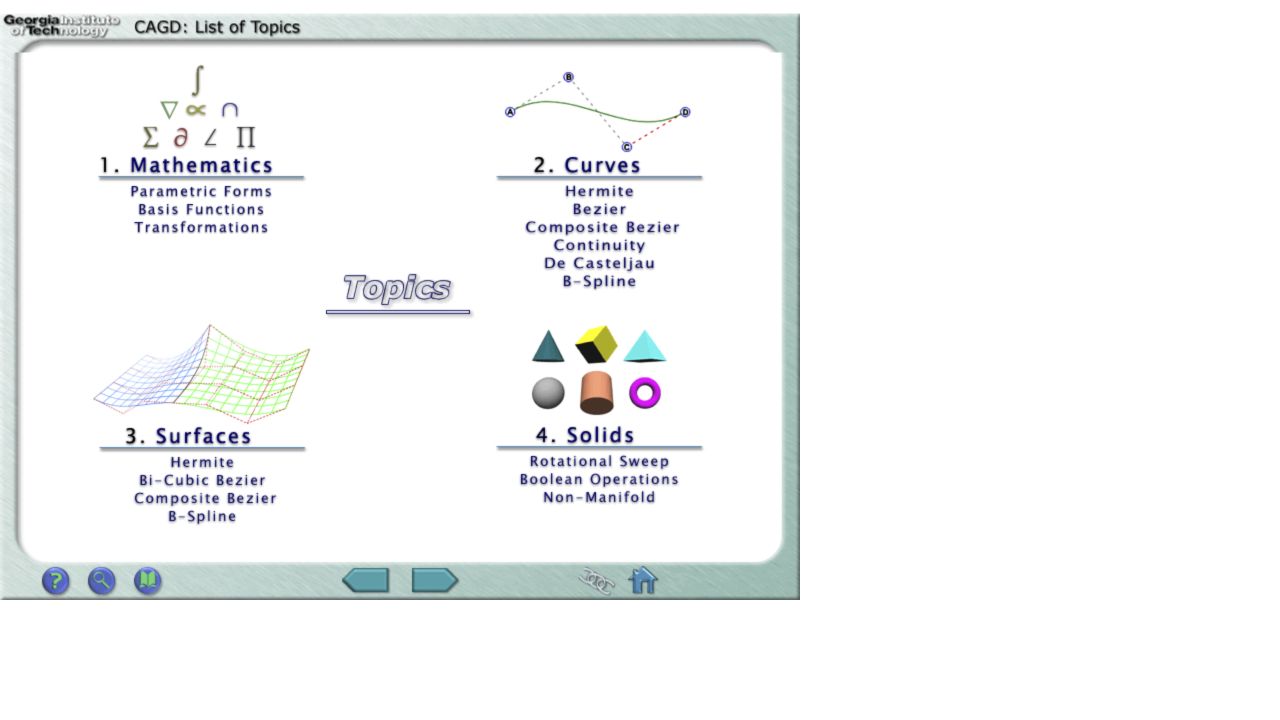 Recovered artifact · original course menu
The original artifact
The recovered 800-by-600 project was built for Internet Explorer and Macromedia Flash 6. It organized mathematics, curves, surfaces, and solids around 20 named lessons and 25 interactive Flash demonstrations.
This modern course preserves that architecture and its instructional idea—make abstract geometry visible—while replacing the obsolete player with responsive HTML5 Canvas and expanding the curriculum through NURBS, topology, model intent, and modern rendering.
The through-line
Curves, surfaces, manufactured parts, digital worlds, and immersive learning connect through the same practice: reveal the system, let learners change it, and make complex relationships understandable.